










MyUniverse
February 16, 2026
Atlas
February 18, 2026Avalio
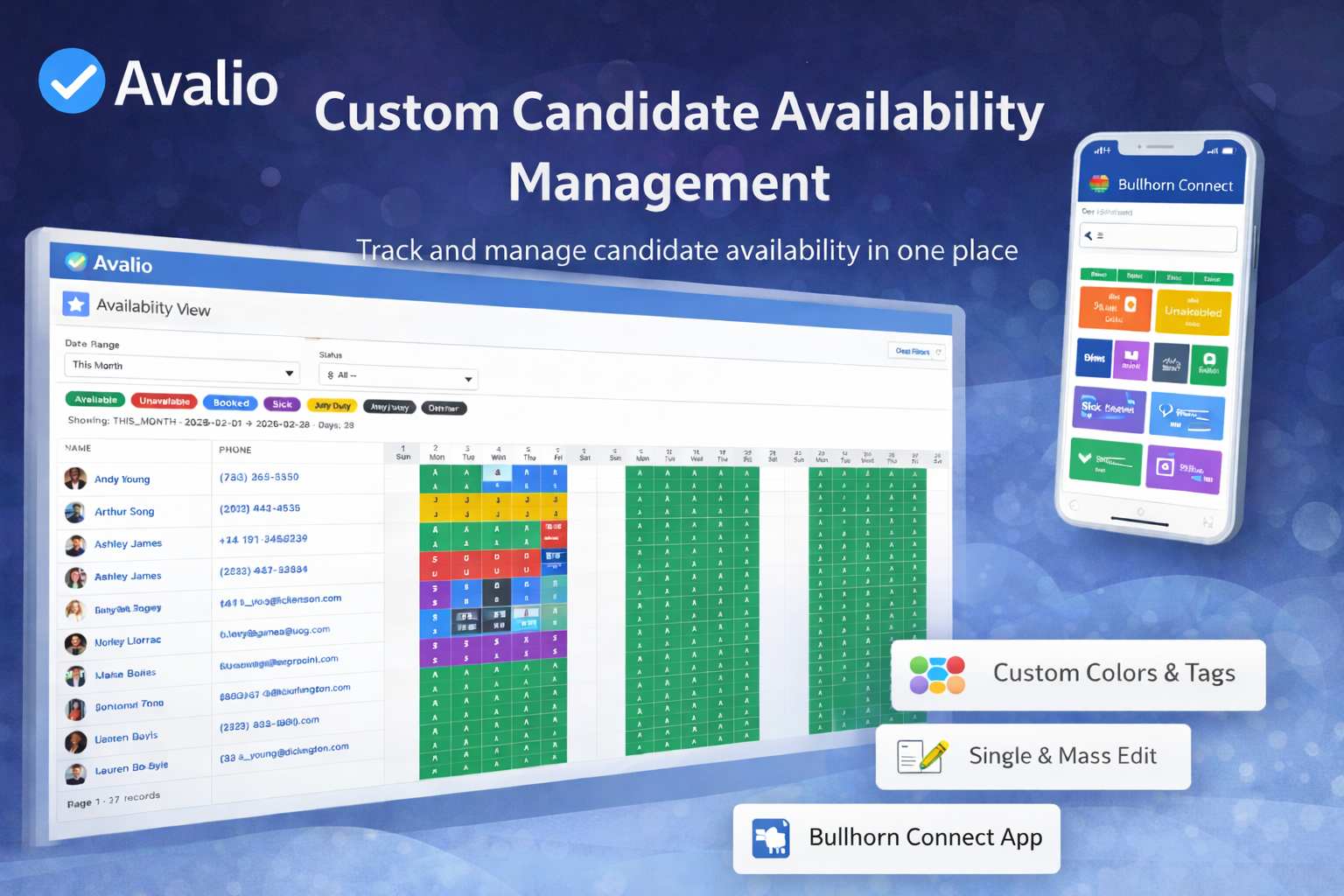
Take control of candidate availability with Avalio
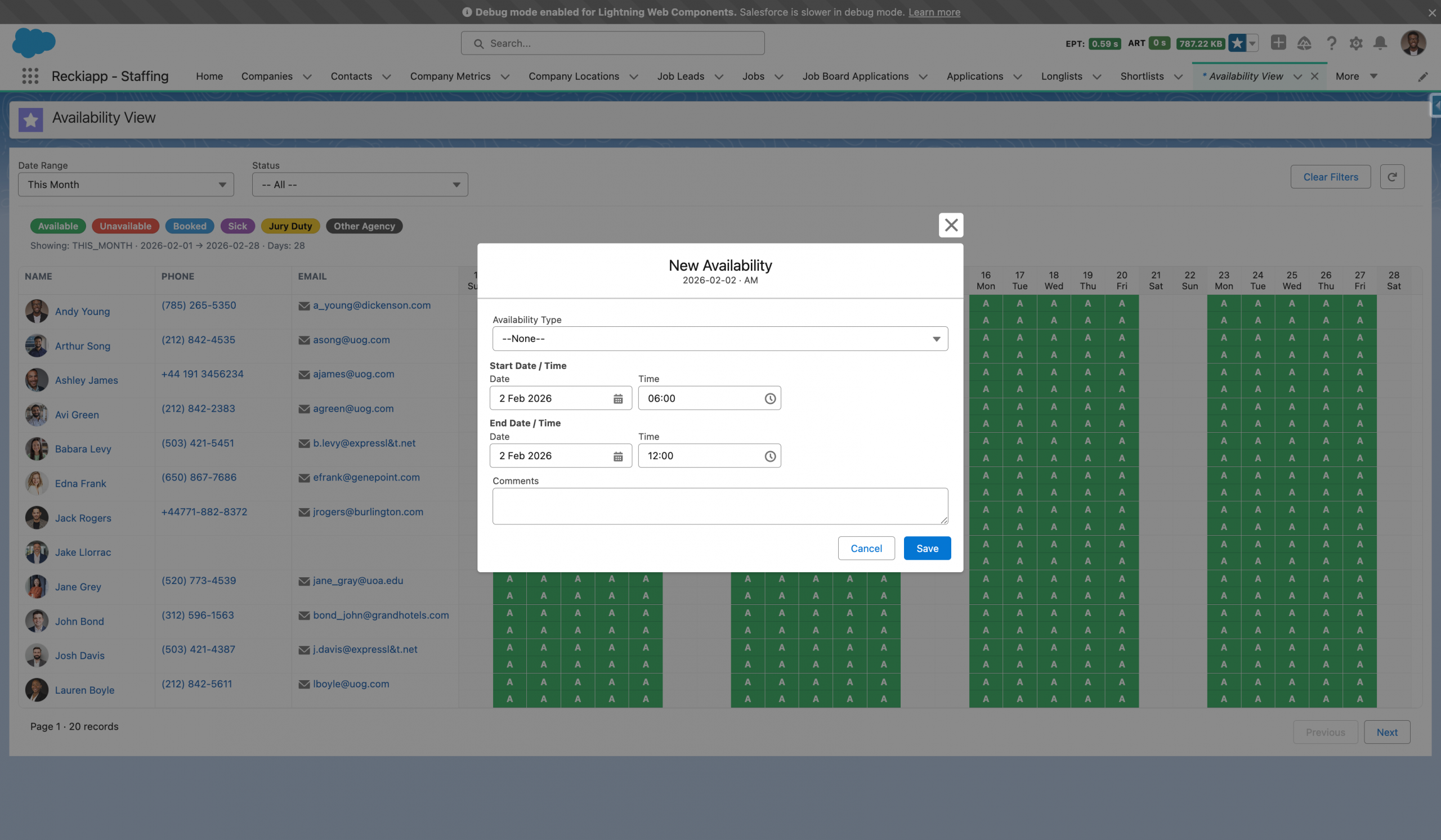
Manage, edit, and visualise availability across Salesforce, with custom colours, tags, and auto-bookings in one central view.
Centralise & Control Candidate Availability
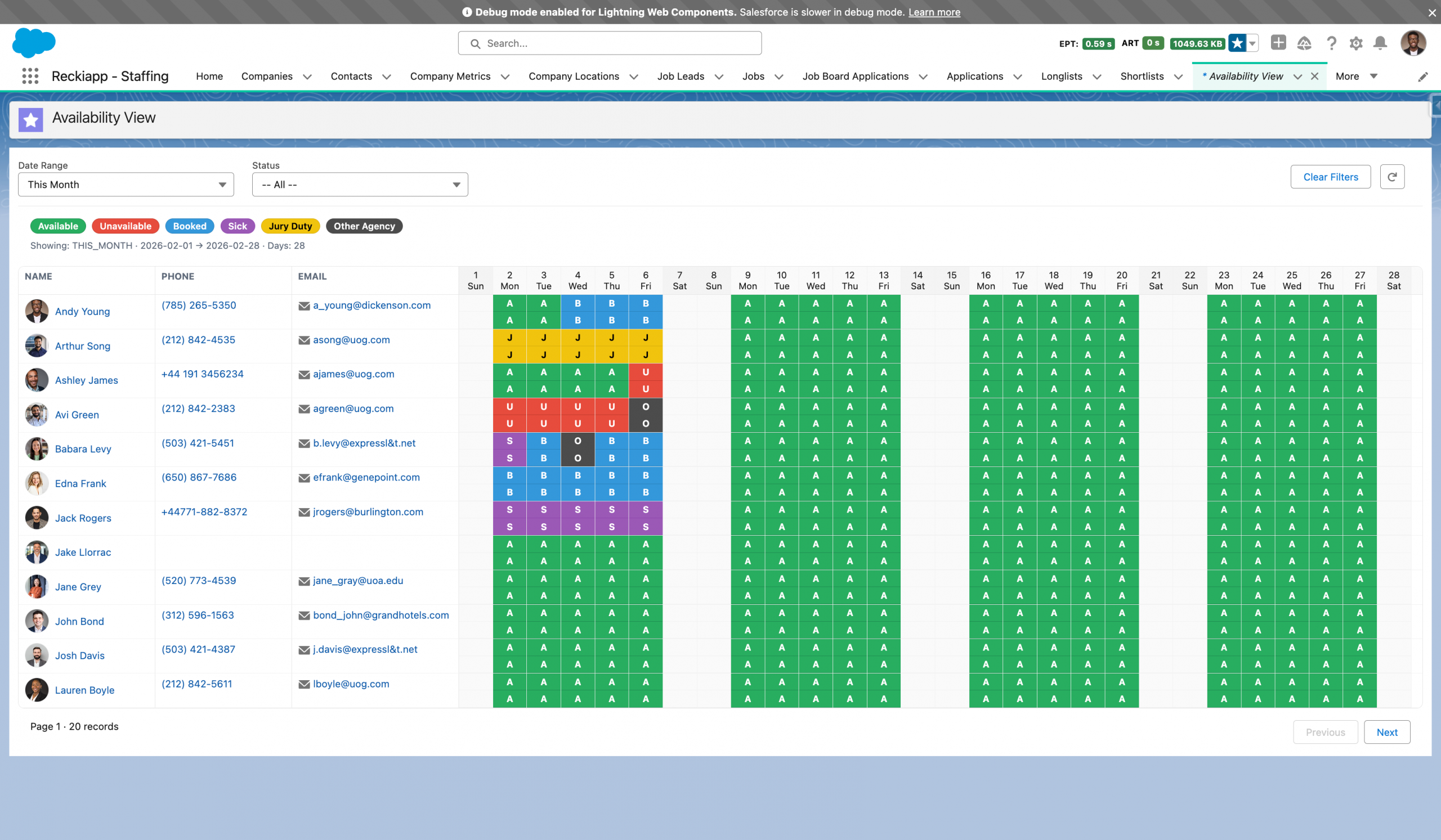
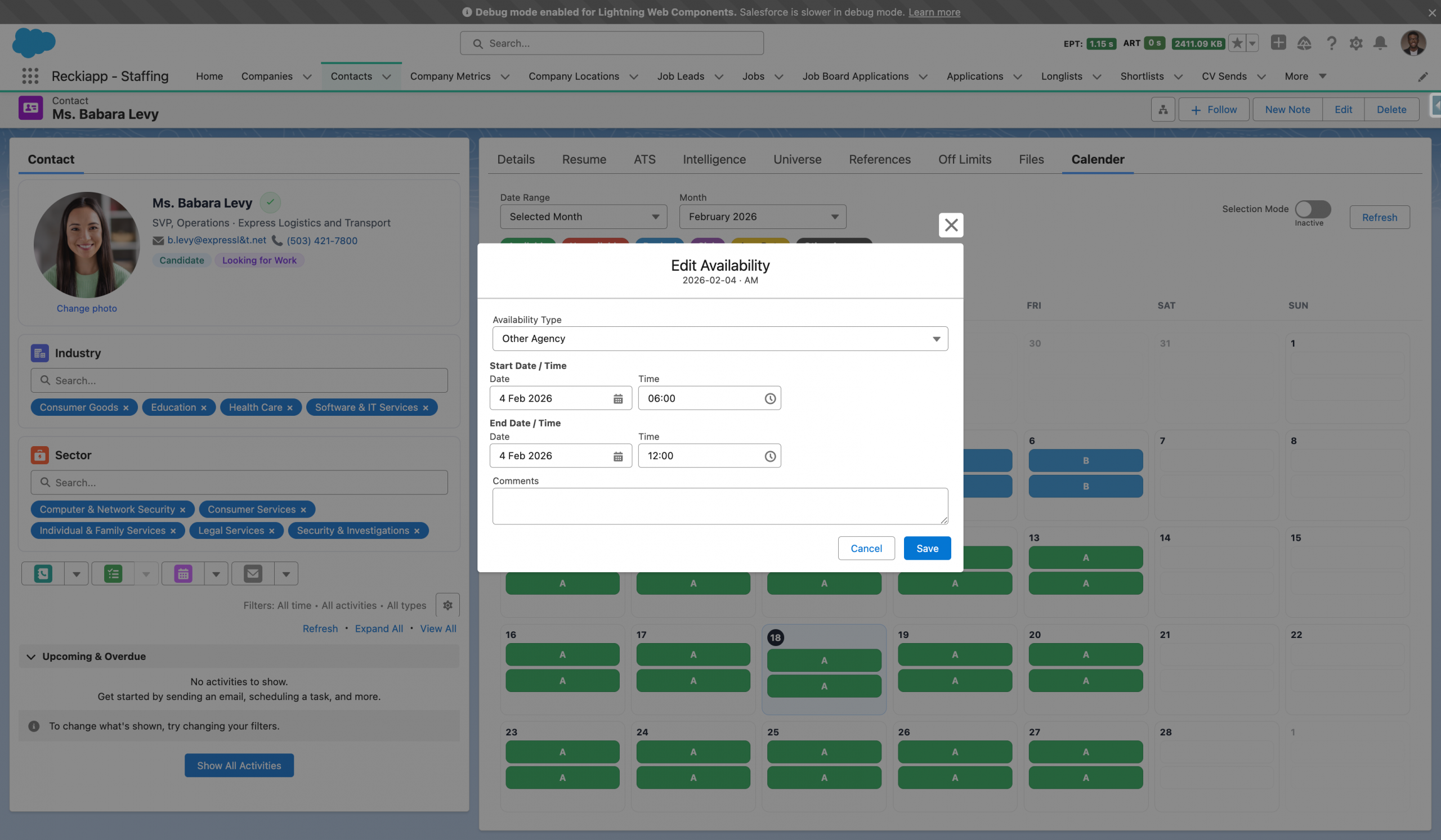
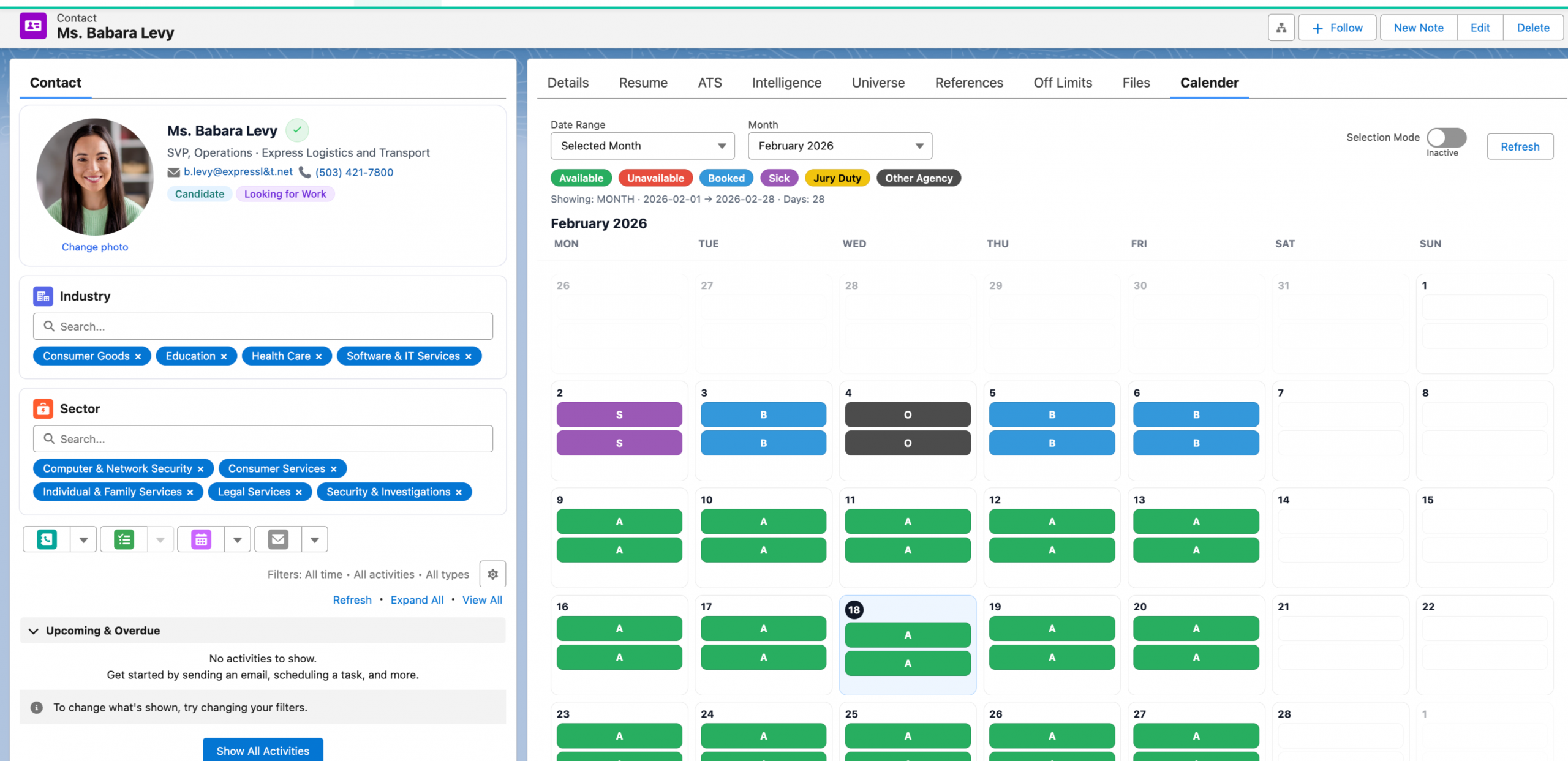
Avalio transforms the way you manage candidate availability across Salesforce. This powerful availability management component provides a complete, real-time view of every candidate’s schedule, status, and booking activity — all linked directly to the contact record. Designed to work seamlessly within Salesforce, Avalio enables recruitment teams to view, create, and edit availability records from one centralised interface.
Beyond simple status tracking, Avalio introduces custom colour coding, configurable tags, and intelligent auto-booking visibility when working with published shifts. Teams can apply single or mass updates instantly, maintain structured availability records, and allow candidates to manage their own schedules through the Bullhorn Connect app. The result is a streamlined, scalable availability framework built to improve operational control, reduce admin effort, and increase placement efficiency.
Features list
Your subscription begins once our product is installed into your Sandbox environment. From there, we work in partnership with your team to configure the standard version of this product in line with best practice and your existing Salesforce setup. As part of this process, we ensure your key data fields are correctly aligned..
Where enhancements are requested to tailor the product more closely to your specific internal processes, these can be scoped and delivered collaboratively. Any additional development outside the standard configuration would be agreed in advance. Ongoing support for extended functionality will be aligned to your selected support package.
A typical implementation timeline from Sandbox installation through to Production deployment is approximately 1–2 weeks, depending on availability for testing and sign-off.
The implementation scope includes:
• Installation into a Sandbox environment
• Configuration and internal testing by our team
• Project management oversight
• User acceptance testing (UAT) by your team
• Formal sign-off
• Train-the-trainer session for up to three users
• Deployment into Production
• Post-deployment validation and initial support
If deployment into additional Sandbox environments is required, we are happy to accommodate this and will agree scope and approach in advance.
Avalio centralises real-time candidate availability within Salesforce, providing structured calendars, status tracking, expiry rules, and bulk update capabilities. Designed to remove guesswork from scheduling, Avalio ensures recruiters focus only on candidates who are ready and available to work.
All pricing below is based on a 12-month minimum term. Discounts are available for longer-term agreements or multi-product bundles.
| Package | User Range | Monthly Cost | Commitment (12 Months) |
|---|---|---|---|
| Core | 10–30 Users | £500.00 | £6,000.00 |
| Growth | 31–100 Users | £1,000.00 | £12,000.00 |
| Enterprise | 101–500 Users | £1,500.00 | £18,000.00 |
| Enterprise Max | 501+ Users | £2,500.00 | £30,000.00 |
For enterprise-scale workforce planning environments, advanced configuration requirements, or multi-org rollouts, please contact us for a tailored commercial proposal.
Support is provided in accordance with our standard Terms and Conditions and includes our defined Service Level Agreements (SLAs). All response times, resolution targets, and support coverage levels are governed by these agreed service standards.
1. How long does implementation take?
A typical implementation takes 2–4 weeks from Sandbox installation through to Production deployment, depending on complexity and availability during UAT.
2. When do commercials begin?
Commercial terms begin from the date Extendify is installed into your Sandbox environment.
3. Does Extendify replace our existing placement process?
No. Extendify enhances and structures your placement lifecycle by introducing controlled, linked actions such as extensions, rate changes, credits, and terminations — without disrupting your core data model.
4. Are extensions and rate changes linked to the original placement?
Yes. All placement extensions, rate changes, credits, and early terminations are automatically linked to the master placement, providing complete visibility in one place.
5. Can approval workflows be configured?
Yes. Approval processes can be configured to align with your governance requirements, including rate increases, credits, or early terminations.
6. What happens if we need custom functionality?
Enhancements beyond the standard configuration can be scoped and agreed in advance. Ongoing support for extended functionality will align with your selected support package.
7. Is training included?
Yes. A train-the-trainer session for up to three users is included as part of the standard implementation.
8. What environments are included in the install?
The standard scope includes installation into one Sandbox environment and deployment into Production. Additional Sandbox deployments can be arranged if required.
9. How does Extendify support finance and reporting?
Extendify maintains structured relationships between master placements and related actions, ensuring accurate deal values, clean reporting, and full audit visibility.
10. What support is provided post go-live?
Support is delivered in line with our Terms and Conditions and defined SLAs, covering agreed response and resolution standards.