










Extendify
October 15, 2020
MyUniverse
February 16, 2026Visual-iD
Enhance your contact records with Visual-iD
View, manage and extend contact photos, with highlight insights and custom status pills in one visual component.
Manage & View Contact Profile Photos
Visual-iD transforms the way you view and manage contact records in Salesforce. This powerful contact photo component brings profiles to life by allowing users to upload, update, and display contact images directly on the record page. Designed to work seamlessly within Salesforce and extend into Experience Cloud communities, Visual-iD creates a more engaging and recognisable user experience across your recruitment platform.
Beyond imagery, Visual-iD enhances visibility with configurable highlight information and custom status pills, giving teams instant visual cues at a glance. Whether it’s compliance status, availability, or key candidate insights, users can quickly assess important details without navigating away from the record — improving efficiency, accuracy, and overall user adoption.
Features list
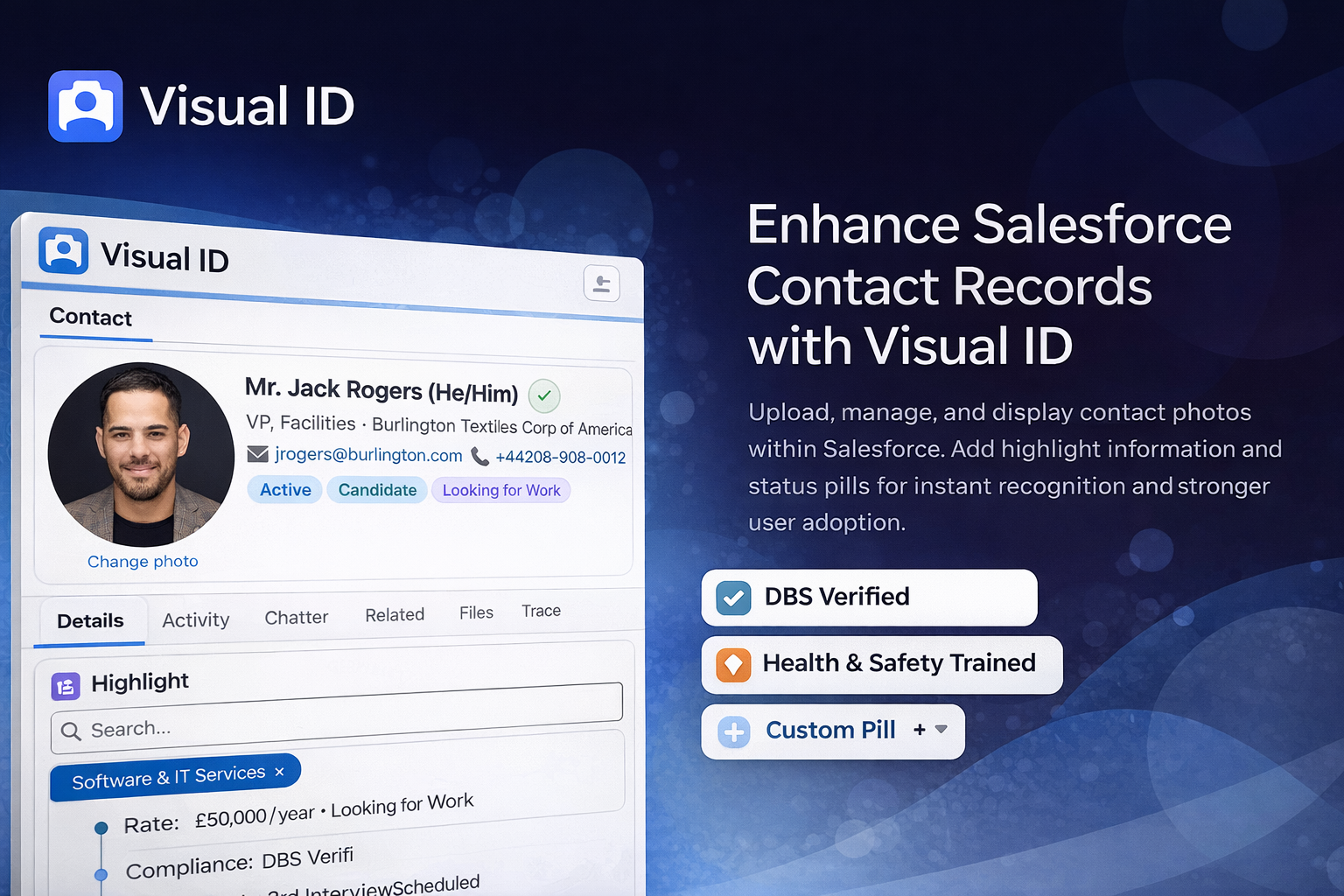
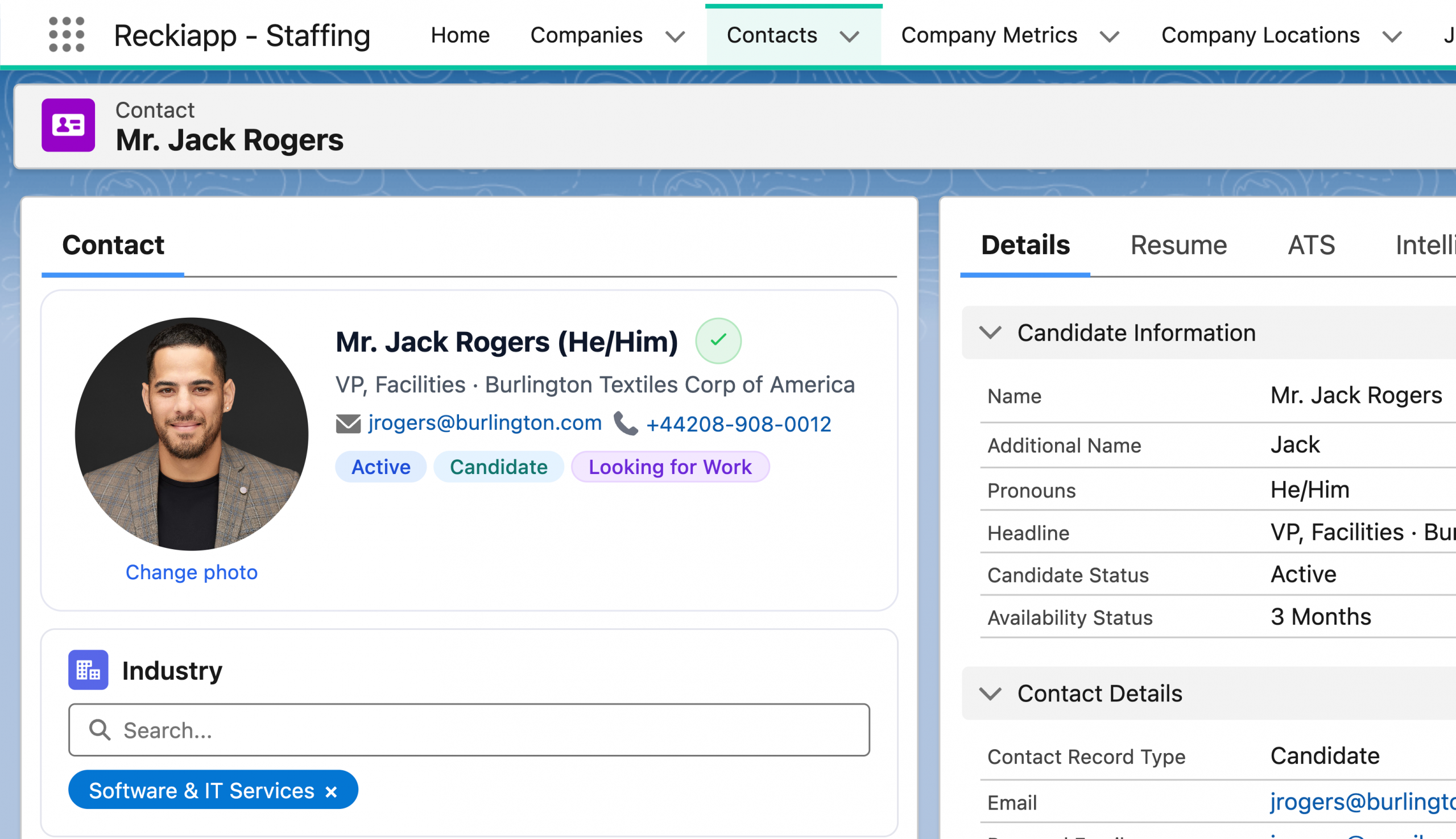
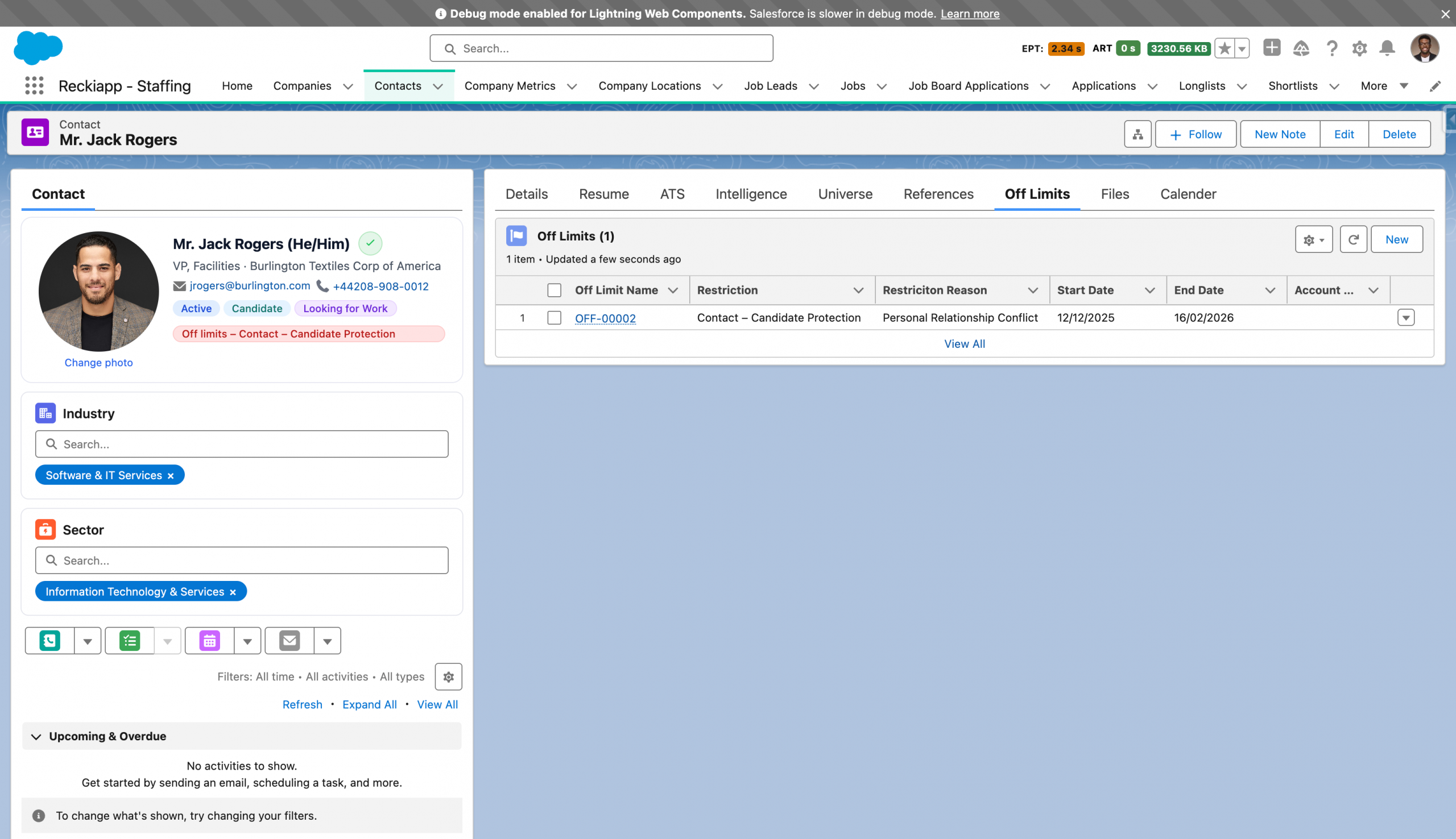
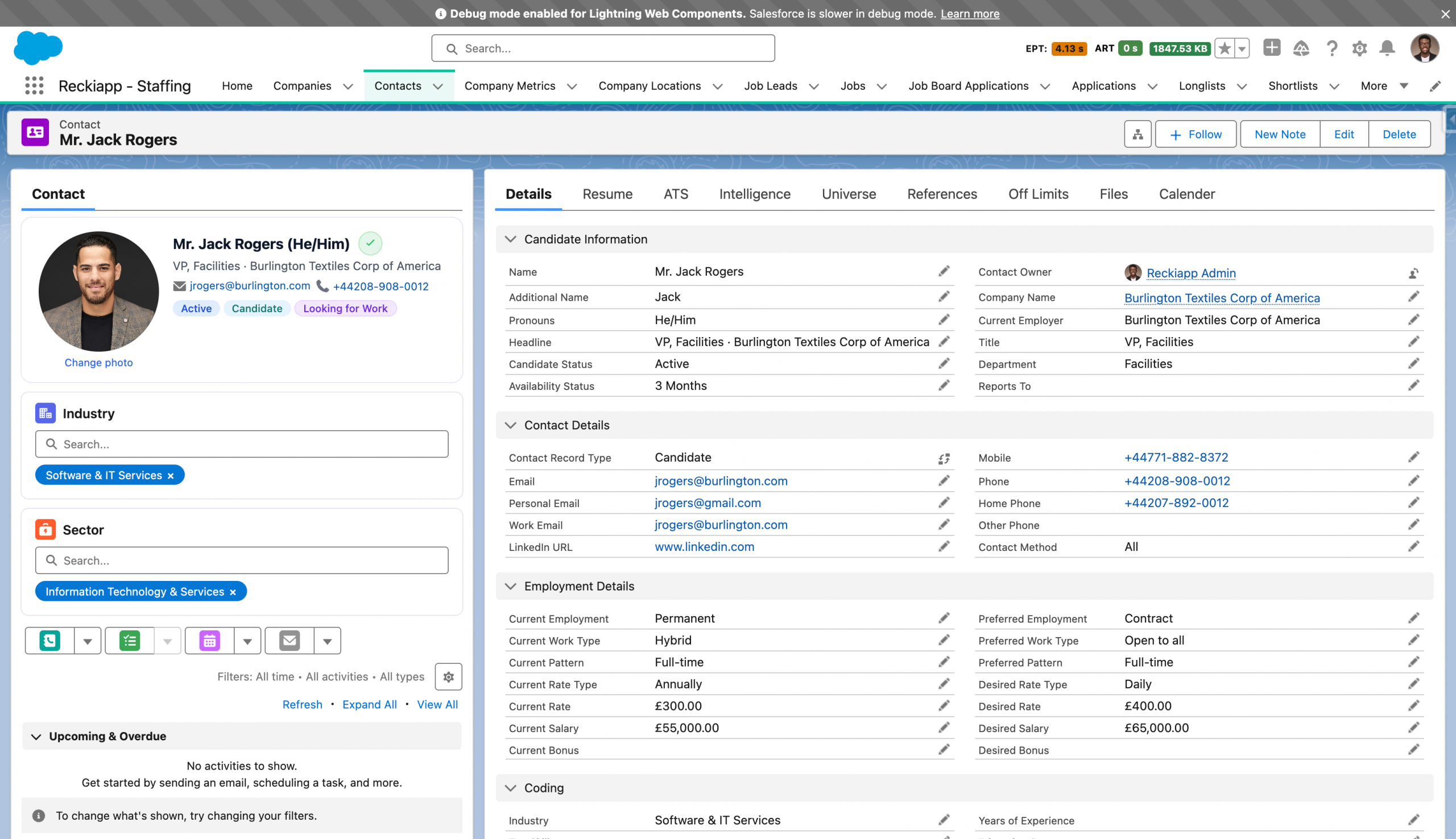
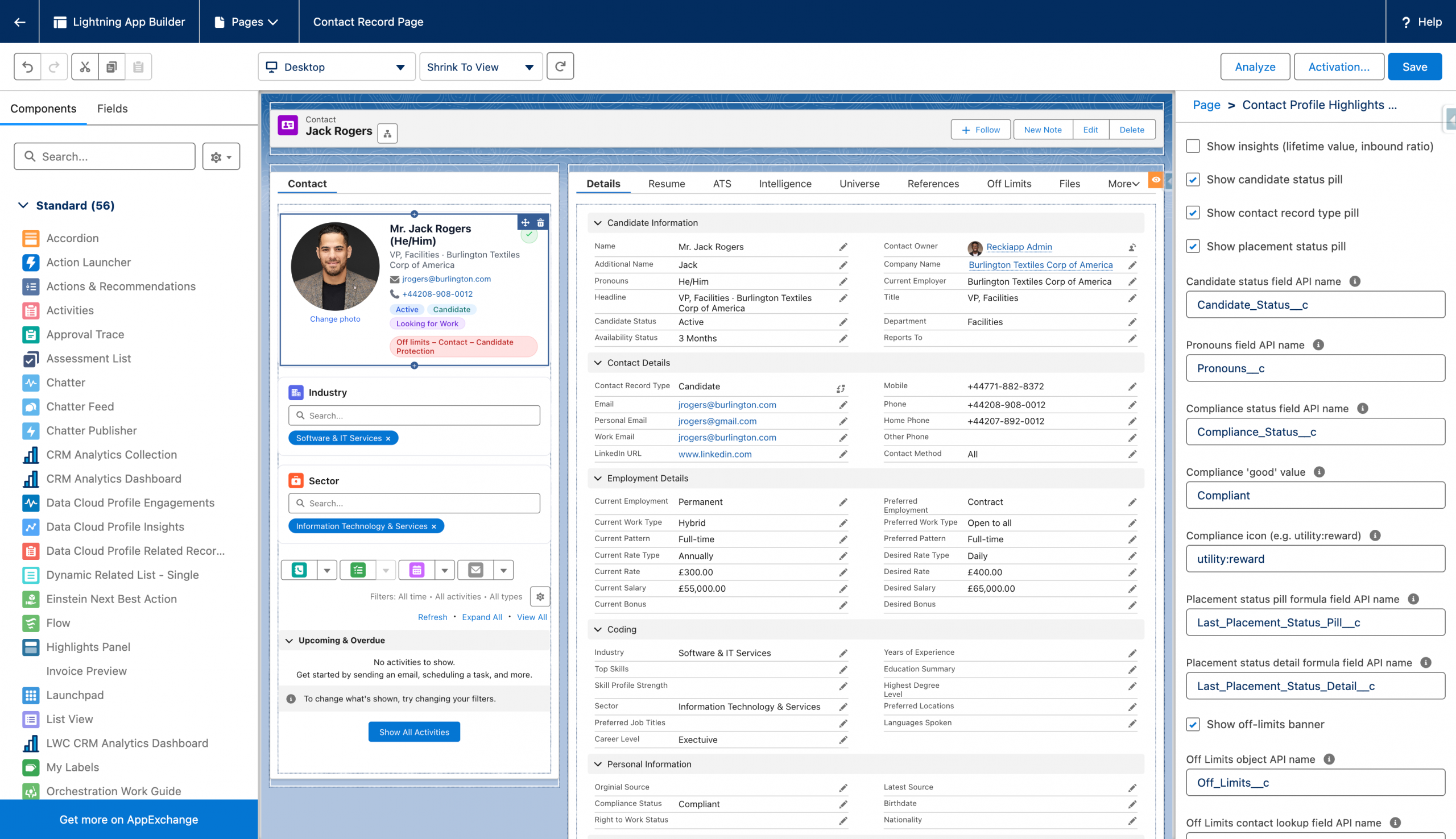
Visual-iD is designed to enhance usability, strengthen adoption, and create immediate visual clarity across your Salesforce contact records. By centralising profile imagery within a dedicated, configurable component, organisations can ensure consistent, recognisable records across internal users and Experience Cloud communities. The structured display model eliminates fragmented profile visuals, improving data presentation and reducing ambiguity when managing large candidate or client databases.
Visual intelligence is built in. Configurable highlight panels and custom status pills allow key information — such as compliance status, availability, priority level, or engagement stage — to be surfaced instantly. This reduces reliance on navigating multiple tabs or scrolling through long record pages, enabling consultants and administrators to assess critical information at a glance. The result is faster decision-making and improved operational accuracy.
Governance and flexibility remain core to the design. Administrators can control which fields appear as highlights, define visual status indicators, and manage photo permissions without complex development. The component adapts to your existing page layouts and security model, ensuring seamless integration without disruption.
Operationally, Visual-iD drives engagement. A more intuitive, humanised record experience encourages user adoption, strengthens data ownership, and improves overall platform interaction. The outcome is a cleaner, more structured, and visually intelligent contact management framework — built to support efficiency, clarity, and long-term scalability.
Your subscription begins once our product is installed into your Sandbox environment. From there, we work in partnership with your team to configure the standard version of this product in line with best practice and your existing Salesforce setup. As part of this process, we ensure your key data fields are correctly aligned..
Where enhancements are requested to tailor the product more closely to your specific internal processes, these can be scoped and delivered collaboratively. Any additional development outside the standard configuration would be agreed in advance. Ongoing support for extended functionality will be aligned to your selected support package.
A typical implementation timeline from Sandbox installation through to Production deployment is approximately 1–2 weeks, depending on availability for testing and sign-off.
The implementation scope includes:
• Installation into a Sandbox environment
• Configuration and internal testing by our team
• Project management oversight
• User acceptance testing (UAT) by your team
• Formal sign-off
• Train-the-trainer session for up to three users
• Deployment into Production
• Post-deployment validation and initial support
If deployment into additional Sandbox environments is required, we are happy to accommodate this and will agree scope and approach in advance.
Visual ID – Contact Photos & Identity
Visual ID enhances Salesforce contact records with a dedicated photo component designed to improve recognition, usability, and data clarity. Upload, manage, and display contact photos alongside configurable highlight panels and custom status indicators — all within a clean, intuitive interface.
All pricing below is based on a 12-month minimum term. Discounts are available for longer-term agreements or multi-product bundles.
| Package | User Range | Monthly Cost | Commitment (12 Months) |
|---|---|---|---|
| Core | Up to 30 Users | £100.00 | £1,200.00 |
| Growth | 31–100 Users | £250.00 | £3,000.00 |
| Enterprise | 101–500 Users | £400.00 | £4,800.00 |
| Enterprise Plus | 501+ Users | £800.00 | £9,600.00 |
For larger deployments, white-label configuration, or multi-community rollout, please contact us for a tailored commercial proposal.
Support is provided in accordance with our standard Terms and Conditions and includes our defined Service Level Agreements (SLAs). All response times, resolution targets, and support coverage levels are governed by these agreed service standards.
1. How long does implementation take?
A typical implementation takes 2–4 weeks from Sandbox installation through to Production deployment, depending on complexity and availability during UAT.
2. When do commercials begin?
Commercial terms begin from the date Extendify is installed into your Sandbox environment.
3. Does Extendify replace our existing placement process?
No. Extendify enhances and structures your placement lifecycle by introducing controlled, linked actions such as extensions, rate changes, credits, and terminations — without disrupting your core data model.
4. Are extensions and rate changes linked to the original placement?
Yes. All placement extensions, rate changes, credits, and early terminations are automatically linked to the master placement, providing complete visibility in one place.
5. Can approval workflows be configured?
Yes. Approval processes can be configured to align with your governance requirements, including rate increases, credits, or early terminations.
6. What happens if we need custom functionality?
Enhancements beyond the standard configuration can be scoped and agreed in advance. Ongoing support for extended functionality will align with your selected support package.
7. Is training included?
Yes. A train-the-trainer session for up to three users is included as part of the standard implementation.
8. What environments are included in the install?
The standard scope includes installation into one Sandbox environment and deployment into Production. Additional Sandbox deployments can be arranged if required.
9. How does Extendify support finance and reporting?
Extendify maintains structured relationships between master placements and related actions, ensuring accurate deal values, clean reporting, and full audit visibility.
10. What support is provided post go-live?
Support is delivered in line with our Terms and Conditions and defined SLAs, covering agreed response and resolution standards.