
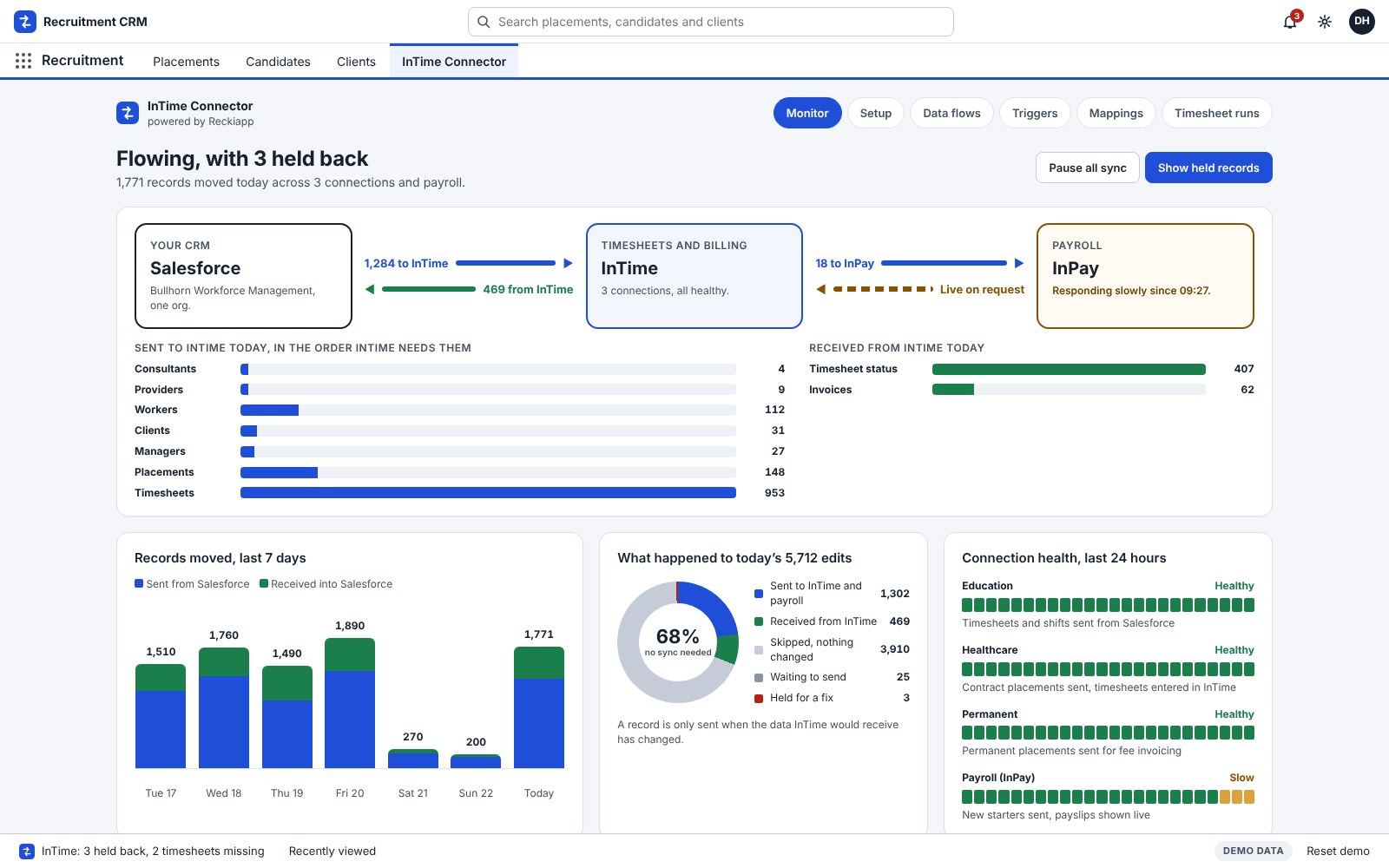
Monitor - everything moving between Salesforce, InTime and payroll - sample data
What InTime Connector does for your desk
Every way of working
Permanent fees invoiced in InTime, contract placements with InTime timesheets, or timesheets approved in Salesforce and sent across. Set per record type.
Two-way, record by record
For every record type, choose Salesforce to InTime, InTime to Salesforce, both ways or off - and how often InTime is checked for changes.
Mappings you can see
Click any line to change the field, the direction or the values, then test it on a real record before anything is sent.
Held back, never lost
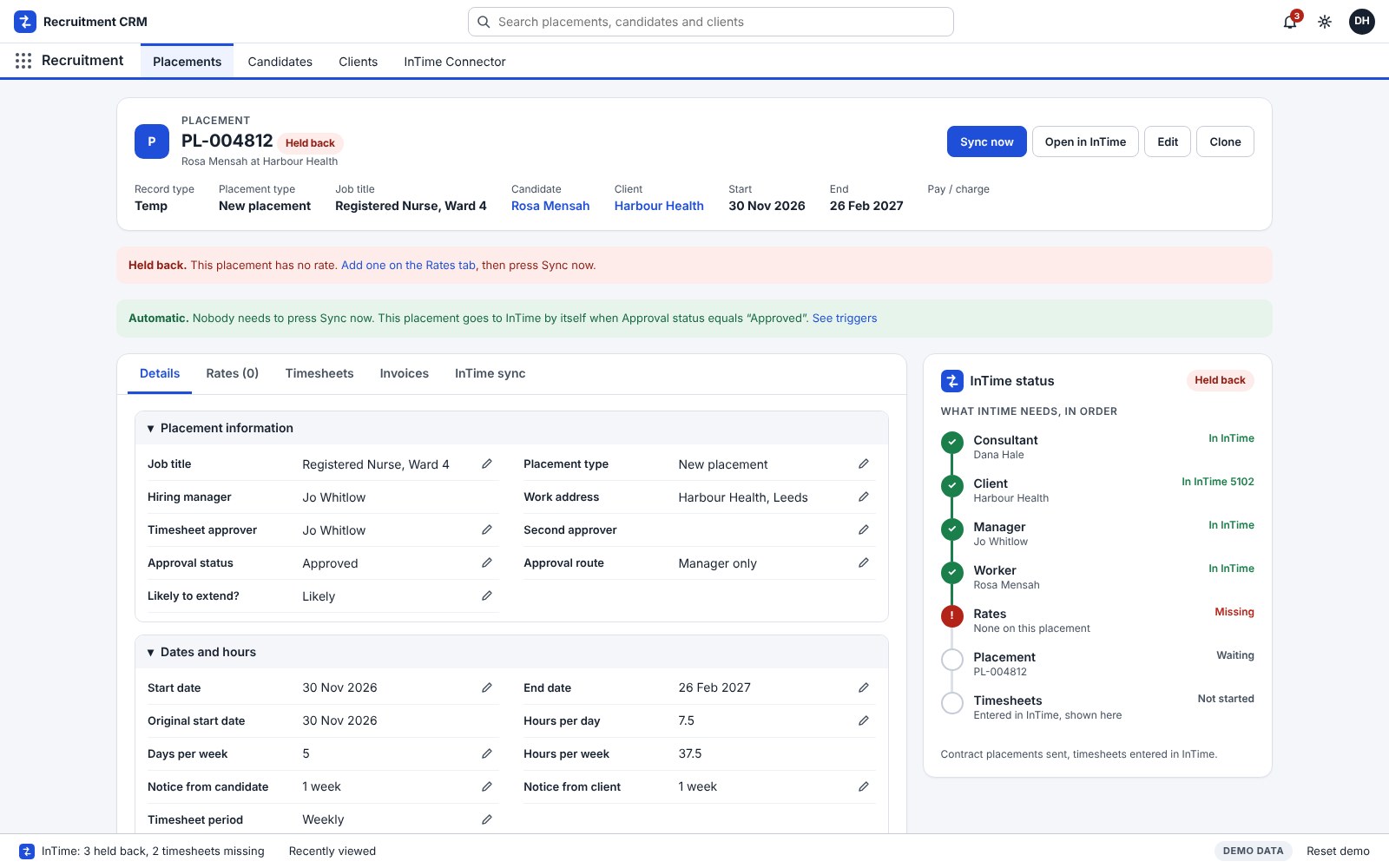
Anything InTime would reject is held with the reason and the fix, so nothing fails quietly overnight.
InTime data on your records
Timesheets, invoices and InTime status on the placement, and payslips fetched live from payroll on the candidate.
Timesheet runs
Send a week of approved timesheets in one checked run, with charge, pay and margin totals that match Salesforce.
WHY TEAMS SWITCH
Nothing fails quietly overnight
✓Payroll and billing teams stop re-keyingPlacements, workers and timesheets reach InTime the moment they are ready.
✓Consultants see what InTime seesStatus, timesheets, invoices and pay are on the records they already use.
✓Admins own the set-upFlows, triggers and mappings are changed on screen, with a dry run before anything goes live.
Drop it on
PlacementsCandidates and workersClients and contactsTimesheetsRatesInvoicesPayslips (InPay)
SEE IT IN ACTION
Watch InTime Connector in action
Real screens from the working product. Click a thumbnail, or try it live.
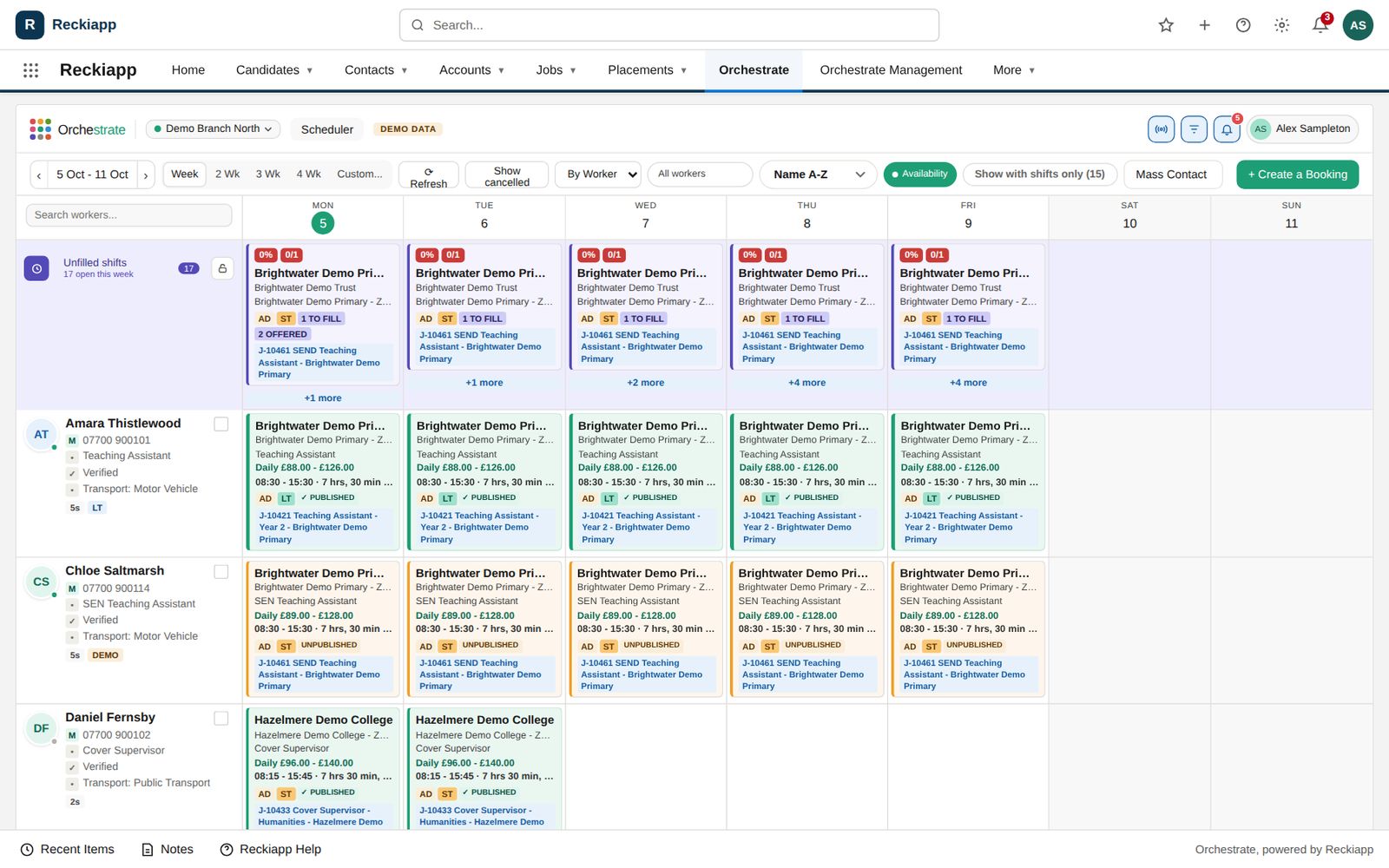
1 / 4The Scheduler board - unfilled shifts pinned to the topSample data - shown inside Salesforce
Try it live in Salesforce viewClick around the working product - sample data, nothing to install. Video walkthrough coming soon.
BEFORE YOU START
What you need in place
Most delays come from waiting on access, not from the build. Get these moving early and go-live follows quickly.
From RSM
The usual cause of delay, so we ask early.
- Web services switched on - RSM has to enable the InTime web services for your agency. They are not on by default
- An API login per connection - a dedicated InTime user with web services access, not a named person’s login. One per InTime instance if you run several
- A test InTime instance - so the first sync is not against live pay and billing data
- InPay API access - only if you want the payroll module. It uses a separate token from InTime
InTime configured first
The mapping screens read these lists straight from InTime.
- Reference data set up - approval routes, pay elements, invoicing terms, payment frequencies and tax rates
- A decision on existing records - clients, workers or placements already in InTime are matched to Salesforce by external ID before go-live, or the first sync creates duplicates
- InTime to InPay link - if RSM already links the two, the connector must not also create employees in InPay
In Salesforce
What your admin needs to have ready.
- A supported Bullhorn platform - Bullhorn Recruitment Cloud, Bullhorn Workforce Management, Bullhorn TargetRecruit or Bullhorn Jobscience
- An API-enabled edition - with capacity for callouts and scheduled jobs
- An admin to install - the package, permission sets (admin, consultant, pay viewer) and the named credential holding the InTime login
- An integration user - to own the scheduled sync, with access to placement, candidate, client, contact and timesheet objects
- Clean source data - the fields InTime insists on: worker bank details, at least one rate on contract placements, a timesheet approver and client invoice details
Decisions to make up front
We work through these with you in discovery.
- Way of working per record type - permanent, contract with InTime timesheets, or timesheets sent from Salesforce
- Triggers - what sends a placement, for example Approval status = Approved
- Who sees pay data - payslips and pay figures coming back need a deliberate permission choice
GOING LIVE
What going live looks like
1
Discovery
We walk through your process and review your org.
You join one workshop with your process owner.
2
Sandbox build
We install and configure InTime Connector in your sandbox.
You give sandbox access and name an admin.
3
Test with real cases
We fix, tune and train your testers.
You run your everyday scenarios and sign off.
4
Go live
We deploy to production and train your team.
You attend training - we stay close for the first weeks.
Your current process keeps running until you sign off - everything is built and tested in a sandbox first.
PRICING
InTime Connector pricing
TeamYour tier
Up to 25 users
£850per month
Fits your 20 users - about £43 a head
Full InTime Connector app
Standard configuration
Sandbox and production install
Email support
Business
Up to 60 users
£1,600per month
One flat fee, billed annually
Everything in Team
Admin configuration workshop
Priority support
Quarterly product review
Enterprise
Unlimited users
£2,800from, per month
One flat fee, billed annually
Everything in Business
Multi-branch configuration
Tailored onboarding
Named success manager and SLA
One-off implementationfrom £3,500
Add it to the Full Suite - save 30%All 9 Reckiapp apps, or pick any 3 to save 20%See bundles
Flat monthly fee per app, excluding VAT. No per-user charges within your band. Salesforce and Bullhorn licences not included.
TRUST AND DATA
Your data stays in your org
Native to Salesforce
Installs into your org. Credentials sit in a named credential, bank details are masked in every log, and pay data is shown live from payroll - never stored in Salesforce.
Your permissions apply
Profiles, sharing rules and field security work as they do today.
UK-based team
Support Mon-Fri, 9am to 6pm, at support@reckiapp.com. Security pack and DPA on request.
Flexible terms
Annual, or rolling monthly with 30 days notice. Requires Bullhorn Recruitment Cloud, Bullhorn Workforce Management, Bullhorn TargetRecruit or Bullhorn Jobscience, plus RSM InTime with web services switched on.